Software QA
Software QA tool for lightning-fast bug fixing
High-context visual feedback in seconds.

Join over 20,000 teams collecting more insights with Userback and user surveys

















Software QA the easy way.
Software QA so simple, the intern could do it. Just point and click with Screen Annotations and video feedback.
No code, no problem.
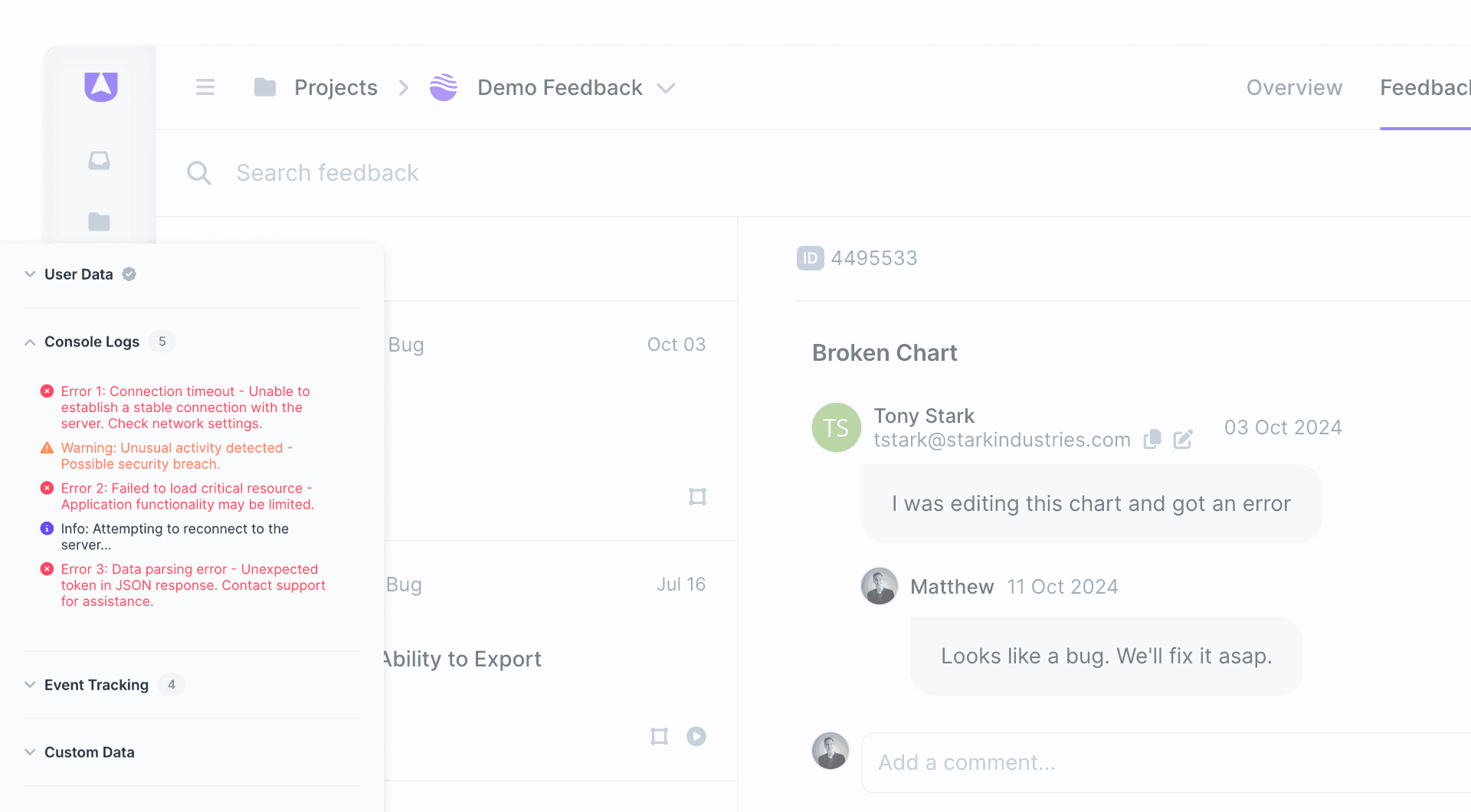
Software QA doesn’t need to be disruptive. Get started with zero-code Browser Extensions and still capture and centralize context-rich feedback.

Improve the accuracy of software QA.
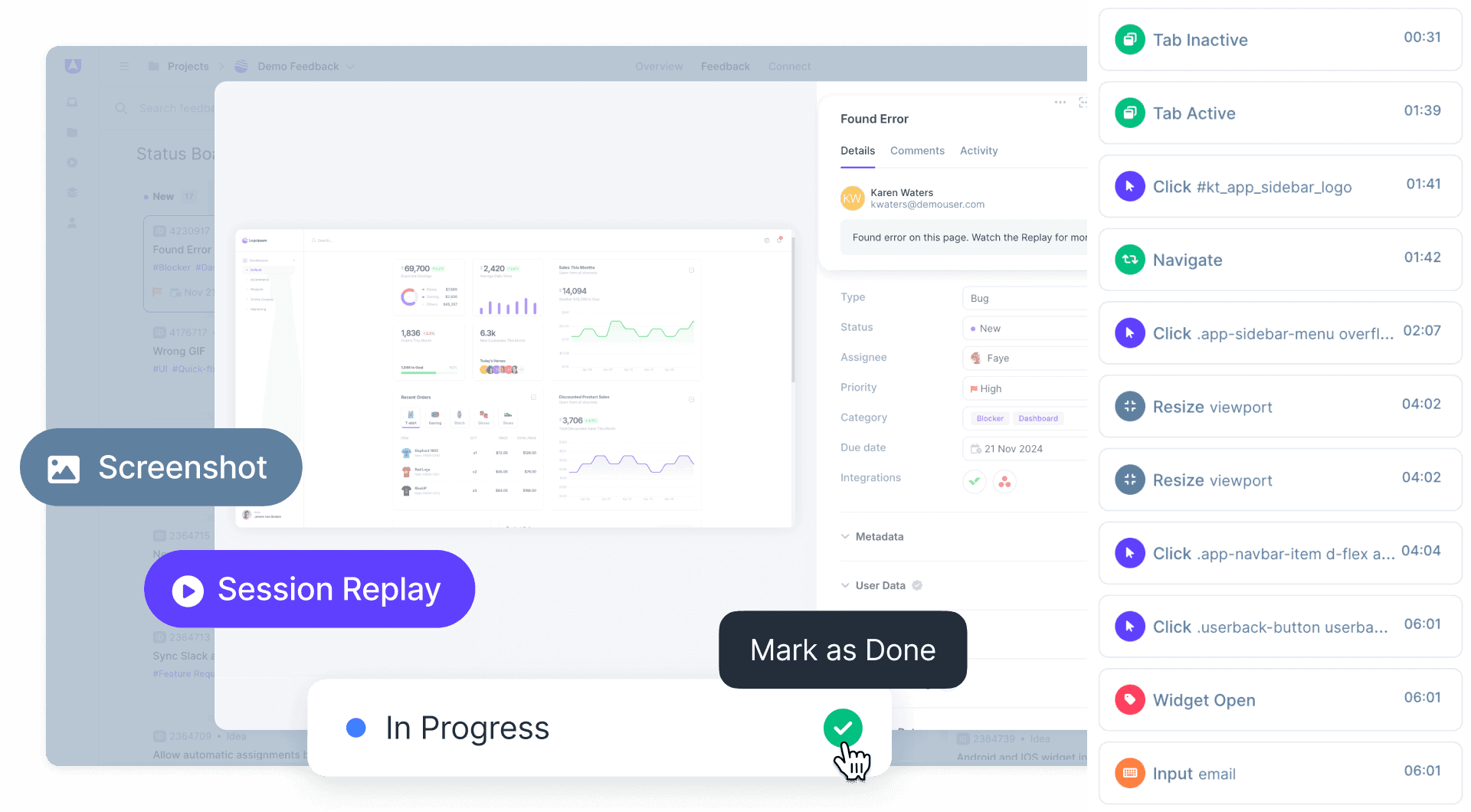
Visual feedback with browser info, Session Replays and more means you can wave ‘goodbye’ to ambiguous written issues.
How to Improve Software QA with Visual Feedback
Software QA with visual feedback captures bugs using annotated screenshots, screen recordings, and session replays instead of lengthy written descriptions. QA teams document issues with complete context including console logs and browser metadata. Developers receive everything needed to understand and reproduce issues, eliminating back-and-forth clarification.
How It Works
1. Capture: QA testers capture bugs with annotated screenshots, recordings, and browser extension. Metadata included automatically. 2. Document: Visual reports provide complete context without lengthy descriptions. Developers see exactly what testers found. 3. Resolve: Route issues to development via integrations. Track status and verify fixes efficiently.
Key Benefit
QA teams document bugs faster with visual context instead of written reproduction steps. Developers understand issues immediately without requesting clarification. Testing cycles accelerate because communication overhead disappears.
Best For
- QA teams testing web applications
- UAT (User Acceptance Testing) with stakeholders
- Regression testing before releases
- Cross-browser and cross-device testing
- Agile teams running sprint testing cycles
Popular Software QA Templates


Ready to improve software QA with fast, actionable user feedback?
Start by harnessing the power of Userback’s advanced software QA tools.