Feedback Best PracticesProduct ManagementUser Feedback Management
The Complete Guide to Building an Effective Idea Portal for SaaS Teams
Matthew
Share
Product managers and founders know the struggle all too well.
Brilliant user ideas scattered across Slack threads, buried in support tickets, and lost in email chains. Meanwhile, your development team builds features based on incomplete information, and users feel ignored when their feedback disappears into the void.
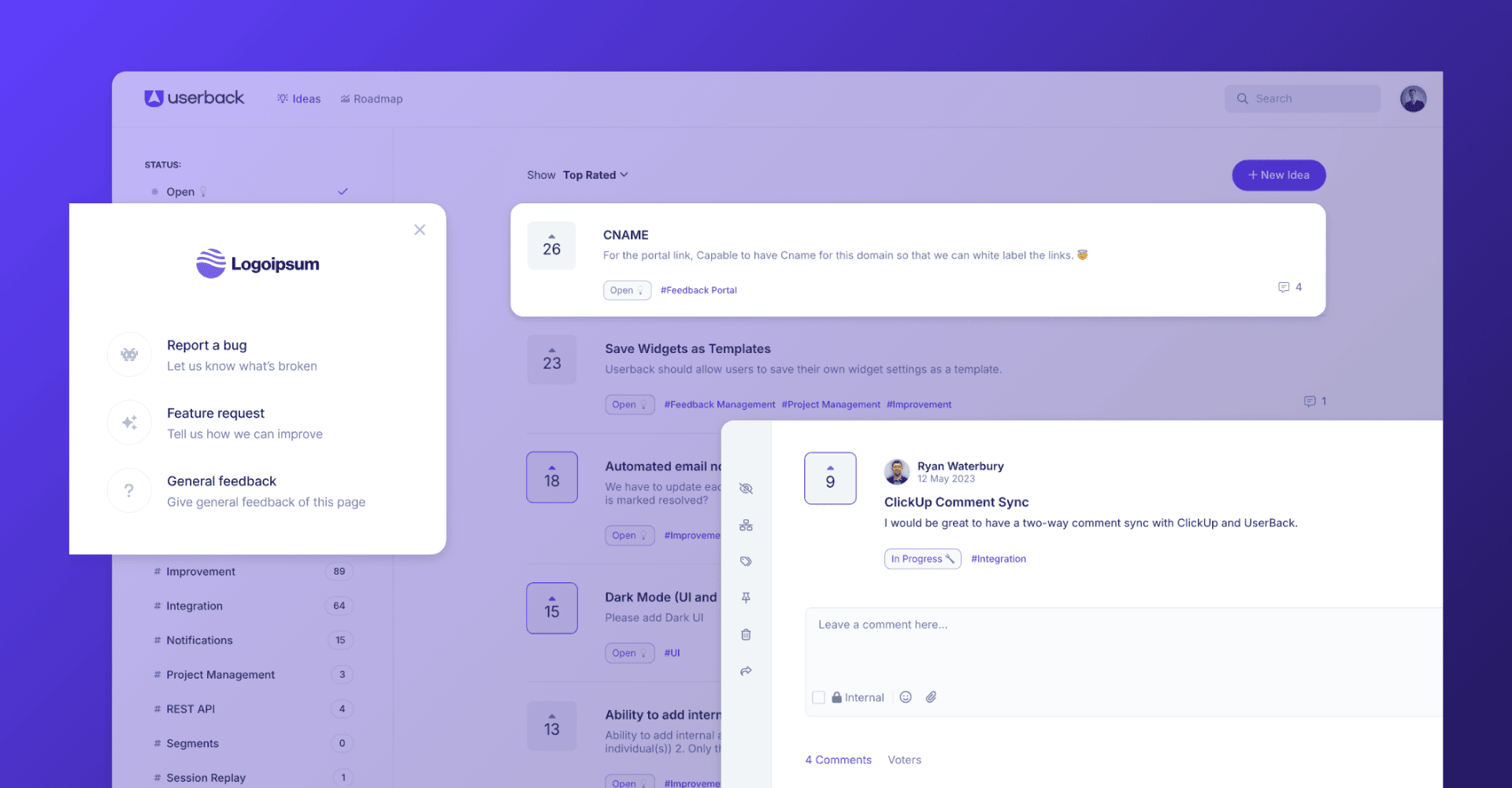
The solution isn’t another spreadsheet or generic survey tool. It’s a dedicated feedback portal (also called an idea portal) that transforms chaotic feedback into strategic product direction while keeping users engaged in your product’s evolution.
An effective customer feedback portal doesn’t just collect suggestions. It creates a systematic approach to product development that prioritizes what matters most while ensuring every stakeholder feels heard and valued.
This practical guide will walk you through everything you need to build and implement a feedback management system that actually works for SaaS teams, from essential features to advanced capabilities like public roadmaps.
The Hidden Cost of Poor Feedback Management
Before diving into solutions, let’s talk about what ineffective feedback management actually costs SaaS teams.
Development Costs:
3-6 months of wasted development on features nobody wants
$50,000-$150,000 in opportunity cost from building the wrong priorities
2-3x longer time to product-market fit compared to companies with systematic feedback
Customer Costs:
40% higher churn rates when users feel unheard
Lost expansion opportunities from missing obvious upsell signals
Damaged brand reputation from appearing unresponsive to user needs
Founder Costs:
10-15 hours per week manually managing scattered feedback
Decision paralysis from conflicting user input
Burnout from constant context switching between building and customer management
The Bottom Line
Poor feedback management doesn’t just slow you down. It can kill your company! The founders who survive have systems that turn user input into competitive advantage.
Why Generic Tools Fail SaaS Feedback Management
Most teams start with makeshift solutions like Google Forms, Trello boards, or basic survey tools. These approaches fail because they’re designed for simple data collection, not strategic product feedback management.
The Critical Problems:
Scattered Input: Customer feedback arrives through multiple channels with no central organization
Prioritization Chaos: No systematic way to evaluate and rank user suggestions
Broken Feedback Loops: Users submit ideas and never hear back
Limited Community Engagement: No way for users to build on each other’s ideas
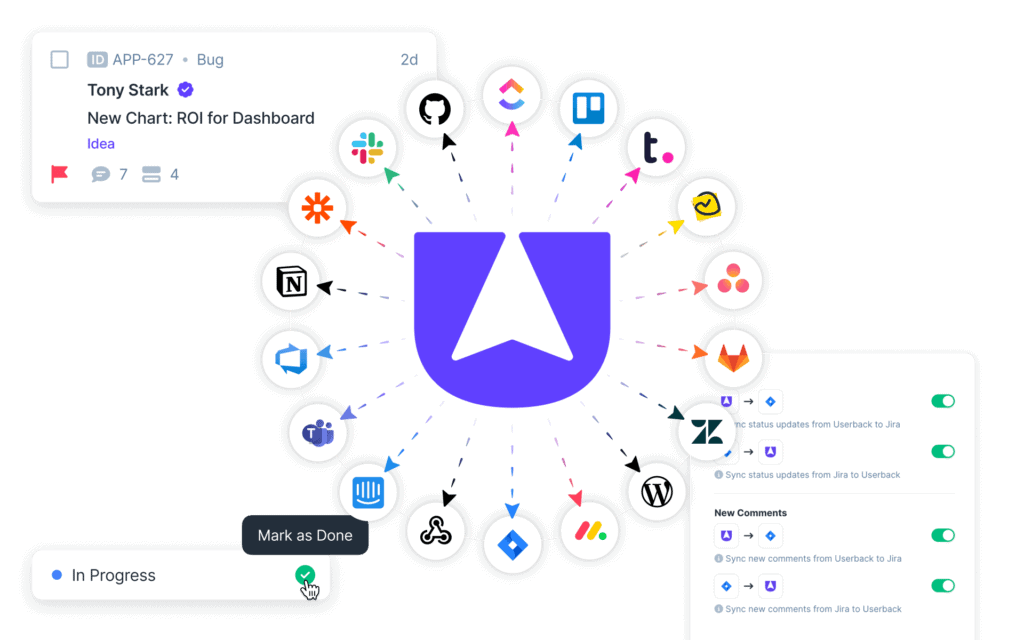
Poor Integration: Tools don’t connect to your development workflow
A purpose-built feedback portal solves these problems by creating a centralized customer feedback platform that captures, organizes, prioritizes, and acts on user feedback in a transparent, engaging way.
Essential Features Your Product Feedback Tool Must Have
1.Response Rates That Actually Matter
Your feedback management software needs to capture ideas from every channel where they naturally occur.
Multi-Channel Input:
Direct web portal submissions
Email-to-idea conversion
Support ticket integration
API connections from other tools
Mobile app integration
The key is making submission effortless while maintaining data quality. Forms should be simple but capture essential context like the problem being solved, the user’s role, and expected business impact.
2.Smart Prioritization Framework
Raw idea volume means nothing without intelligent evaluation. Your SaaS feedback management system needs systematic criteria that align with your business strategy.
Core Prioritization Features:
User Voting: Let your community surface the most important ideas through democratic feedback
User Segment Analysis: See which customer types want specific features to understand market demand
User voting reveals what your community cares about most, while segment analysis helps you understand whether ideas come from your most valuable customers or represent broader market needs.
3.Transparent Status Tracking
Users need to see that their product feedback matters. Status transparency builds trust and encourages continued participation.
Critical Status Categories:
Under Review: Idea received and being evaluated
In Planning: Accepted for development roadmap
In Development: Actively being built
Released: Feature shipped and available
Not Planned: Decided against, with clear reasoning
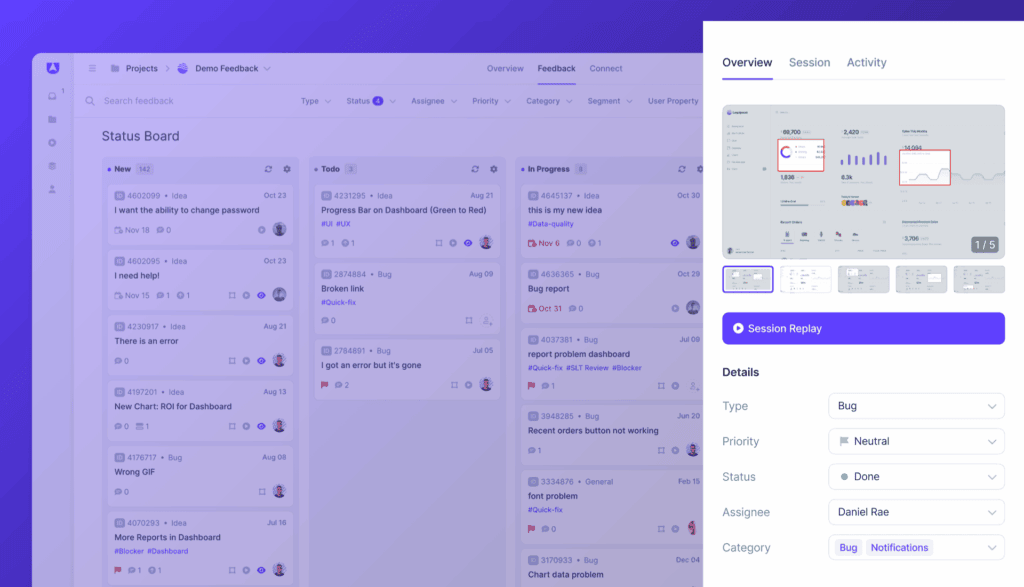
Each status should include estimated timelines and regular updates. Users should receive notifications when their ideas move between stages.
4.Community Engagement Features
The best ideas often emerge from collaboration. Your customer feedback platform should facilitate user-to-user engagement.
Community Elements:
Discussion Threading: Enable detailed conversations around complex ideas
Commenting System: Users can add context and use cases
Idea Merging: Combine similar suggestions to avoid duplication
User Profiles: Build reputation for active contributors
These community features transform your feedback portal from a simple suggestion box into a thriving ecosystem where users become invested stakeholders in your product’s evolution.
5.Public Roadmap Integration
What separates good feedback portals from great ones is the ability to show users how their ideas translate into actual product development. Public roadmaps bridge the gap between idea collection and product delivery.
Public Roadmap Features:
Visual Timeline: Show what’s coming and when
Idea Attribution: Link released features back to original suggestions
Progress Updates: Regular communication about development milestones
Release Notes: Celebrate contributors when features ship
This transparency transforms users from passive feedback providers into invested stakeholders in your product’s future.
6.Announcement System
Keep your community engaged with systematic communication about how their ideas influence your product.
Announcement Capabilities:
Feature Release Updates: Connect new features to the ideas that inspired them
Roadmap Changes: Explain priority shifts with clear reasoning
Community Highlights: Recognize active contributors and showcase impactful ideas
Process Updates: Share improvements to the portal itself based on user feedback
Regular announcements show users that the portal is actively monitored and their input genuinely matters.
See Userback In Action
Discover how Userback helps you collect, manage, and act on user feedback with ease.
Technical Configuration: Start with core functionality like idea submission forms, user authentication, and admin workflows. With Userback, getting setup with your feedback portal is really easy.
Team Preparation: Establish internal workflows for idea review and response. Assign ownership for portal management, typically splitting between product management (strategic decisions) and customer success (user communication).
Success Metrics:
Ideas submitted per week
User participation rate
Average time to initial response
Step 2: User Onboarding (Weeks 3-4)
Soft Launch Strategy: Begin with your most engaged users such as beta testers, power users, and customers with strong feedback history. This group will help identify usability issues and generate initial content.
Communication Plan:
Email announcement explaining the portal’s purpose
In-app notifications linking to the portal
Support team training to direct users to the portal
Sales team briefing on leveraging the portal in customer conversations
Step 3: Community Building (Weeks 5-8)
Engagement Campaigns:
Feature spotlight: Highlight ideas that influenced recent releases
Monthly contributor recognition
Product manager AMAs about roadmap decisions
User story features showing how ideas became features
Process Refinement: Analyze submission patterns to optimize categories, prioritization criteria, and communication workflows based on actual user behavior.
Step 4: Advanced Features (Weeks 9-12)
Analytics Implementation:
User segment analysis of idea preferences
Correlation between idea engagement and feature adoption
ROI tracking for implemented ideas
Portal usage patterns and optimization opportunities
Integration Expansion:Connect to development tools for automatic status updates and integrate with customer success platforms for deeper user insights.
Ready to start web application testing?
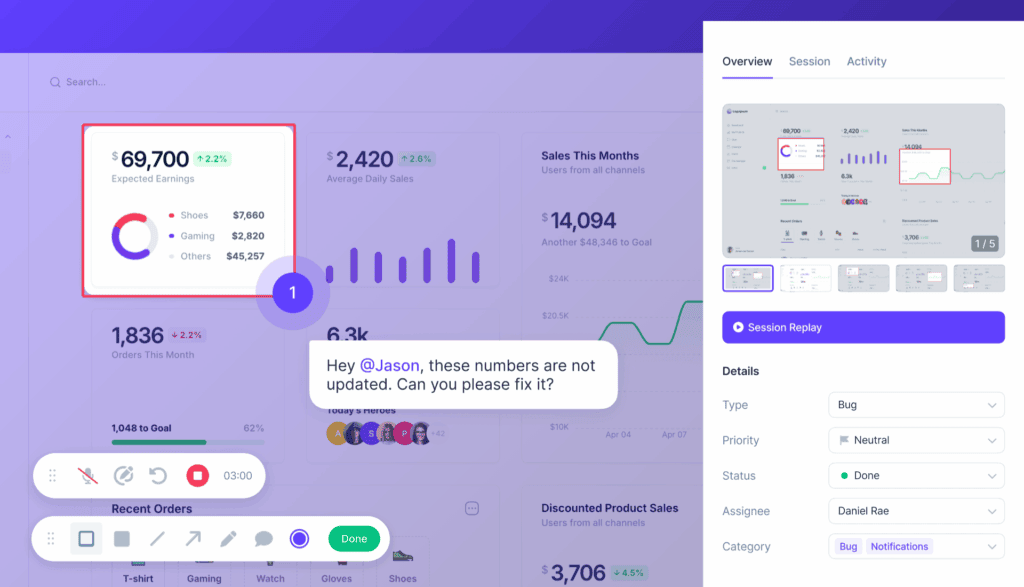
Try Userback’s visual feedback tools to execute testing with your team and users. Capture feedback and bugs with automatic screenshots, session replays, and console logs and analyze results.
Even with the best intentions, many teams stumble when implementing idea portals. Here are the most common mistakes and how to avoid them.
1. Over-Engineering from the Start
The Mistake: Teams try to build a perfect portal with every feature before launching.
Why It Fails: Users need time to understand how to use the portal effectively. Complex features confuse early adopters and reduce participation.
The Fix: Start with basic submission and voting. Add advanced features only after users demonstrate consistent engagement with core functionality.
2. Ignoring Portal Feedback
The Mistake: Focusing only on product ideas while ignoring user feedback about the feedback portal itself.
Why It Fails: If the customer feedback platform is difficult to use, users will abandon it regardless of how much they want to contribute ideas.
The Fix: Regularly survey portal users about their experience. What’s confusing? What would make submission easier? Treat your portal as a product that needs iteration.
3. Inconsistent Internal Processes
The Mistake: Launching the customer feedback portal without clear internal workflows for reviewing, responding to, and acting on ideas.
Why It Fails: Ideas pile up without responses, users feel ignored, and the portal becomes a graveyard of unacknowledged suggestions.
The Fix: Establish clear ownership and response timeframes before launch. Assign specific team members to review ideas, provide status updates, and communicate decisions.
4. Setting Wrong Expectations
The Mistake: Implying that all ideas will be implemented or that popular ideas will automatically be built.
Why It Fails: Users become frustrated when voted ideas aren’t developed, leading to decreased participation and trust.
The Fix: Clearly communicate that ideas inform your roadmap but don’t guarantee implementation. Explain your decision-making criteria and how ideas fit into broader strategic goals.
5. Focusing Only on Feature Requests
The Mistake: Accepting only specific feature suggestions instead of encouraging problem-focused submissions.
Why It Fails: Users propose solutions based on their limited perspective, missing opportunities for more innovative approaches.
The Fix: Frame submission prompts around problems: “What challenges are you facing?” rather than “What features do you want?” This opens space for creative solutions.
6. Neglecting Community Management
The Mistake: Treating the user feedback platform as a passive collection tool rather than an active community.
Why It Fails: Without engagement, the portal becomes stagnant. Users stop participating when they don’t see discussion or interaction.
The Fix: Actively participate in discussions, ask follow-up questions, and encourage users to build on each other’s ideas. Community management is as important as product management.
7. Poor Communication About Decisions
The Mistake: Simply marking ideas as “not planned” without explanation.
Why It Fails: Users feel dismissed and stop contributing when they don’t understand the reasoning behind decisions.
The Fix: Always explain why ideas weren’t selected. Reference strategic priorities, technical constraints, or market timing. This education helps users submit better ideas in the future.
Best Practices for Long-Term Success
Regular Communication: Establish predictable communication rhythms. Weekly internal reviews and monthly public updates keep the portal relevant and trusted.
Quality Over Quantity: Focus on meaningful engagement rather than submission volume. Better to have 50 well-described, strategic ideas than 500 vague feature requests.
Cross-Functional Collaboration: Include perspectives from sales, customer support, marketing, and engineering in idea evaluation. Each team brings unique insights about feasibility, market demand, and user impact.
Continuous Improvement: Regularly survey portal users about their experience. What’s working? What’s frustrating? How could the process be more valuable for them?
Why Userback is the Best Feedback Portal for SaaS Teams
SaaS teams consistently choose Userback because it’s the only all-in-one feedback platform built specifically for software teams. While generic survey tools force you to work around their limitations, Userback provides everything outlined in this guide in a purpose-built solution.
Built for Modern SaaS Workflows
Seamless Integration: Userback connects directly to your existing development stack with native integrations for Jira, GitHub, Slack, and popular project management tools. Status updates happen automatically, so when you mark a feature as “In Development” in Jira, users see the update immediately in their feedback portal.
Smart Idea Consolidation: AI-powered duplicate detection identifies similar ideas across different user submissions, preventing vote splitting and ensuring your most requested features rise to the top naturally.
Advanced User Segmentation: See which customer segments are driving specific requests with granular filtering options, offering critical intelligence for strategic prioritization that basic feedback tools simply can’t provide.
Proven Results
Teams using Userback report:
40% faster feature validation cycles
60% increase in user engagement with product development
25% reduction in support tickets related to feature requests
3x improvement in customer satisfaction scores around product communication
I absolutely love Userback! It’s been a real game-changer for how we collect feedback and interact with our users.
Public Roadmap Integration: Userback’s public roadmap connects user ideas to actual development progress. Users can see how their suggestions influenced your product strategy, creating unprecedented transparency and trust.
Visual Feedback Capabilities: Beyond text-based ideas, Userback captures screenshots, screen recordings, and session replays. Users can show exactly what they mean, reducing ambiguity and speeding up development.
Announcement System: Keep your community engaged with feature announcements that celebrate feature releases, recognize contributors, and explain roadmap changes. This systematic communication transforms one-time feedback providers into long-term product advocates.
Frequently Asked Questions
What’s the difference between an idea portal and a feedback portal?
The terms are often used interchangeably, but technically, a feedback portal is broader and includes bug reports, general feedback, and feature requests, while an idea portal focuses specifically on new feature suggestions and product improvements. Most modern platforms combine both capabilities.
How do I encourage users to submit quality ideas instead of vague requests?
Frame your submission prompts around problems rather than solutions. Instead of “What features do you want?” ask “What challenges are you facing with [specific workflow]?” This encourages users to provide context and helps you understand the underlying need.
Should I make my feedback portal public or private?
Most SaaS companies benefit from public portals because they encourage community engagement and voting. However, consider a private portal if you handle sensitive data or serve enterprise clients who prefer confidential feedback channels.
How many ideas should I expect per month?
This varies widely based on your user base size and engagement level. A typical SaaS company with 1,000 active users might receive 20-50 ideas per month initially, growing to 100+ as the community matures.
How do I prioritize ideas when user votes conflict with business strategy?
User votes inform your decisions but shouldn’t dictate them. Use voting data as one input alongside technical feasibility, strategic alignment, and market research. Always explain your reasoning when popular ideas aren’t selected.
How do I measure the ROI of my feedback portal?
Track metrics like feature adoption rates for portal-driven ideas, customer retention among portal participants, and time saved on market research. Many teams see 20-30% faster feature validation and higher user satisfaction scores.
Get Started Today
Building an effective idea portal isn’t just about collecting suggestions. It’s about creating a systematic approach to product development that puts user needs at the center of every decision.
Don’t let another great idea get lost in the chaos of scattered feedback. Userback’s Feedback Portal provides everything covered in this guide, from centralized idea collection to public roadmaps and announcements in a purpose-built platform designed specifically for SaaS teams.