User Feedback ManagementWebsite & Product Feedback
Top 20 Best Customer Feedback Tools for 2026
Matthew
Share
TL;DR
Customer feedback is critical for product improvement and business success, particularly when bug reports and feature requests are centralized in a single platform.
Effective feedback collection requires user-friendly tools that distinguish between bug reports (unintentional errors) and feature requests (desired enhancements).
Customer feedback tools come in different shapes and sizes and can be categorized into comprehensive feedback platforms, specialized survey tools, and review management systems.
Key benefits of customer feedback include better understanding of customer needs, improving products, increasing customer satisfaction, and accelerating resolution workflows.
Essential features to look for: visual bug reporting capabilities, user-friendly feedback collection, integration capabilities, detailed analytics with automated triage, enriched user feedback with contextual metadata, and customization options.
What are Customer Feedback Tools?
Customer feedback tools are software solutions designed to collect, analyze, and manage feedback from your customers. These tools help businesses understand their customers’ experiences and needs by gathering insights through various methods such as surveys, reviews, bug reports, feature request portals, and direct in-app feedback platforms. The collected data can then be used to make informed decisions to enhance products, services, and overall user experience.
The most effective customer feedback tools combine multiple feedback types into a single platform, allowing product teams to distinguish between bug reports (unintentional errors causing incorrect behavior) and feature requests (enhancements that add new value). This distinction is critical for prioritization, as bug fixes often require immediate attention based on severity and user impact, while feature requests are evaluated against product strategy and resource allocation.
Types of Customer Feedback Tools
There are three primary types of customer feedback tools that businesses can use to gather valuable insights. Each type caters to different aspects of the feedback process, ensuring a comprehensive approach to customer feedback management.
Customer Feedback Platforms
These platforms provide a comprehensive suite of customer feedback software for collecting, analyzing, and managing feedback from multiple channels. They offer features such as customizable feedback widgets, real-time analytics, visual bug reporting with annotated screenshots and video recordings, feature request boards with voting capabilities, and sentiment analysis to ensure that businesses can capture valuable insights from customers, employees, and other stakeholders.
Additionally, comprehensive platforms often integrate with other business tools, such as CRM systems, project management platforms like Jira and Trello, communication tools like Slack, and development workflows through GitHub or GitLab integrations. This holistic approach not only enhances the efficiency of feedback management but also enables businesses to make informed decisions based on a complete understanding of their audience’s needs and preferences.
Online Survey Tools
These tools are designed to create and distribute surveys to gather specific feedback from customers. They are versatile and can be used to collect various types of customer feedback, including product satisfaction measurements (NPS, CSAT, CES), market research, user onboarding experiences, and customer journey analysis. By utilizing these tools, businesses can tailor their surveys to meet their unique needs, ensuring that they collect relevant and actionable data.
Many of these tools now support QR code integration and mobile-optimized survey delivery, allowing businesses to share surveys with customers effortlessly. Customers can quickly access surveys on their devices by scanning a QR code or clicking embedded links within applications, enhancing participation rates and convenience. This data can then be analyzed to gain insights into customer preferences and behaviors, allowing companies to make informed decisions that enhance their products and services. Furthermore, these tools often offer features such as customizable templates, conditional logic branching, real-time reporting dashboards, and integration with analytics platforms, making the process of collecting and analyzing feedback both efficient and effective.
Customer Review Tools
These tools focus on collecting and managing customer reviews and ratings, often used to build trust and credibility by showcasing positive feedback and addressing negative reviews effectively. They provide businesses with valuable mechanisms to collect customer insights and identify areas for improvement. By aggregating reviews from multiple platforms (such as G2, Capterra, Trustpilot, Google Reviews, and industry-specific review sites), these tools help create a comprehensive overview of customer sentiment.
Additionally, they offer features such as automated review request workflows, sentiment analysis algorithms, review response templates, and competitive benchmarking capabilities, enabling businesses to gather feedback and engage with their customers more efficiently. For SaaS businesses, these platforms are particularly valuable for building social proof and supporting enterprise sales processes.
Benefits of Customer Feedback Tools
Understanding the advantages of using customer feedback tools is crucial for any business aiming to enhance its products and services. These tools provide a direct line to the voice of your customers, offering a wealth of data that can drive meaningful improvements. By leveraging the insights gathered from customer feedback tools, businesses can make informed decisions that improve customer experience, increase loyalty, and ultimately achieve greater success.
Improved Product Development: Gain insights into what customers like and dislike about your product to guide future improvements. When bug reports and feature requests are organized systematically, product teams can prioritize development efforts based on user impact, frequency, and alignment with business goals.
Enhanced User Experience: Addressing feedback promptly can lead to higher customer satisfaction and loyalty. Visual feedback capabilities (annotated screenshots, session replays, video recordings) reduce the time required to understand and reproduce issues, accelerating resolution timelines.
Informed Decision Making: Data-driven insights help make better business decisions. Centralizing feedback from multiple sources (support tickets, in-app widgets, surveys, sales conversations) creates a single source of truth that product managers can use to validate roadmap priorities and allocate resources effectively.
Increased Customer Retention: Showing customers that their feedback matters can improve retention rates. Closing the feedback loop by communicating when reported bugs are fixed or requested features are shipped builds trust and demonstrates customer-centricity.
Competitive Advantage: Staying attuned to customer needs keeps you ahead of the competition. Organizations that act on feedback faster can iterate more quickly, reduce churn, and build products that better match market demands.
Efficient Problem Resolution: Quickly identify and resolve issues affecting customer experience. Automated triage workflows, contextual metadata (user identification, device information, browser details, console logs), and integration with bug tracking systems reduce the time from report to resolution.
Essential Features of Customer Feedback Tools
Selecting the best customer feedback tool hinges on understanding the critical features that drive its effectiveness. A robust feedback tool should not only facilitate the easy collection of user feedback but also integrate seamlessly with existing systems and provide in-depth analytics. This ensures that the gathered insights are not just data points but actionable items that can directly influence business strategies.
User-friendly Interface: Easy to navigate for both customers providing feedback and team members managing it. Look for tools with intuitive feedback widgets that require minimal effort from users to report bugs or suggest features.
Integration Capabilities: Seamless integration with other tools like CRMs, project management platforms (Jira, Linear, Asana, Monday.com), communication channels (Slack, Microsoft Teams), development workflows (GitHub, GitLab, Azure DevOps), and support systems (Zendesk, Intercom, Help Scout).
Visual Feedback Capabilities: The ability to capture annotated screenshots, screen recordings, and session replays provides critical context that reduces back-and-forth clarification and accelerates issue reproduction. This is particularly valuable for bug reporting workflows where visual evidence eliminates ambiguity.
Detailed Analytics: In-depth reports and feedback analysis to understand trends and insights. Advanced platforms offer sentiment analysis, feedback categorization (bug vs. feature vs. general feedback), impact scoring, and trend dashboards that surface recurring patterns.
Real-time Feedback Collection: Instantly collect customer feedback and notify stakeholders. Automated routing ensures that bug reports reach developers immediately while feature requests are directed to product management for evaluation.
Customization Options: Ability to customize feedback forms, surveys, widget appearance, and user interfaces to match brand guidelines and capture the specific data your team needs (severity, reproduction steps, expected behavior).
Multi-channel Feedback Collection: Collect product feedback through various channels like web applications, mobile apps, email campaigns, and embedded widgets. Omnichannel collection ensures no feedback is lost regardless of where customers choose to provide it.
Automated Workflows: Automatically collect customer feedback and close the feedback loop with automated processes. Set up triggers that notify users when their reported bug is fixed or requested feature is shipped, building transparency and trust.
User Segmentation: Segment feedback based on user demographics, behavior, account type (trial, paid, enterprise), usage patterns, or custom attributes. This allows product teams to prioritize feedback from strategic accounts or power users differently than casual users.
Feature Request Management: Dedicated portals where users can submit, vote on, and track feature requests. Public roadmaps integrated with these portals allow teams to communicate priorities and demonstrate responsiveness to customer needs.
Response Management: Efficiently manage and respond to feedback with internal collaboration tools, assignment workflows, status tracking (new, in progress, resolved, shipped), and communication templates.
Security and Privacy: Ensure customer data is protected and comply with relevant regulations (GDPR, SOC 2, CCPA). Look for platforms with encryption in transit and at rest, data residency options, and transparent privacy policies.
Bug Reports vs Feature Requests: Why the Distinction Matters
One of the most critical capabilities of modern customer feedback software is the ability to distinguish between bug reports and feature requests. This distinction directly impacts how product teams prioritize work, allocate resources, and communicate with stakeholders.
Bug Reports are unintentional errors where the software behaves incorrectly, breaks functionality, causes data loss, or produces unexpected results. These represent deviations from intended behavior and often require immediate attention based on severity (does it block critical workflows?), frequency (how many users are affected?), and whether workarounds exist.
Feature Requests are suggestions for new functionality, enhancements to existing capabilities, or usability improvements that add value but represent desired changes rather than errors. These are evaluated using frameworks like RICE (Reach, Impact, Confidence, Effort) and prioritized based on alignment with product strategy, market demand, and available development capacity.
Many feedback tools make the mistake of treating all feedback equally, creating confusion in prioritization and slowing down resolution times. The best customer feedback platforms provide structured forms with distinct fields for bugs (steps to reproduce, expected vs. actual behavior, severity) and features (use case, business value, number of users requesting), automated categorization using tags or labels, and separate workflows that route bugs to engineering and feature requests to product management.
The following list highlights the top customer feedback tools available in 2026, organized by category. Each tool has been evaluated based on its ability to collect, organize, and act on customer feedback—with particular attention to platforms that effectively combine bug reporting and feature request management.
Comprehensive Customer Feedback Platforms
01. Userback
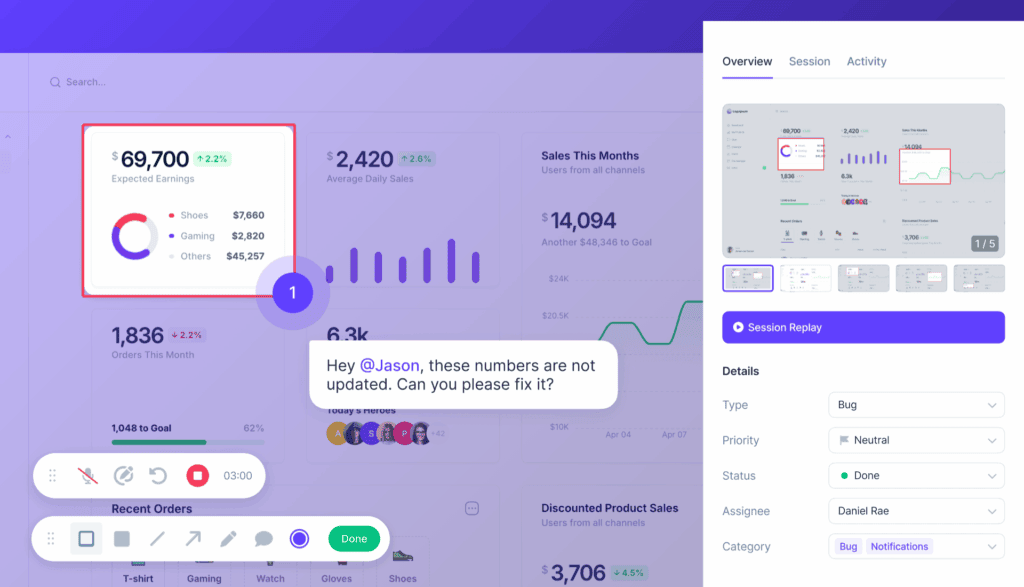
Userback is a comprehensive customer feedback platform that excels in collecting visual feedback, making it easy for users to provide annotated screenshots, video recordings, and session replays. It enables customers to communicate their experiences and issues more effectively, ensuring that feedback is clear and actionable. Beyond visual feedback, Userback offers integrated tools for collecting text-based comments, in-app surveys (including NPS, CSAT, and CES templates), feature request portals with voting, and detailed bug reports—all integrated into a user-friendly interface.
This makes Userback one of the best customer feedback platforms for gathering insights across websites and web applications. The platform automatically captures contextual metadata such as user identification, browser information, console logs, network activity, and custom attributes, which dramatically reduces the time required to understand and reproduce reported issues. Additionally, Userback’s integration capabilities with popular project management tools (Jira, Linear, Asana, Trello, Monday.com), communication platforms (Slack, Microsoft Teams), development workflows (GitHub, GitLab, Azure DevOps), and support systems (Zendesk, Intercom) streamline the process of addressing and resolving feedback, driving continuous improvement and enhancing customer satisfaction.
SOC 2 Type II compliance, GDPR compliance, and enterprise-grade security (AES-256 encryption)
Best For: Product managers and development teams at SaaS companies building websites and web applications who need to collect user feedback, distinguish between bugs and feature requests, improve customer satisfaction, and create a seamless feedback loop to enhance the overall customer experience.
What We Like Most: Userback is a versatile feedback tool that simplifies the feedback process for product teams and end-users alike. Its intuitive interface and powerful visual feedback features make it the best tool to collect more feedback, understand it with ease, and act on it faster. The platform’s ability to unify bug reporting, feature request management, survey collection, and user research in a single system eliminates tool sprawl and creates a single source of truth for all customer insights. If you are looking to improve customer success and build products your customers love, then Userback is the best customer feedback tool for you.
Hotjar is an all-in-one analytics and feedback tool that offers heatmaps, session recordings, and surveys. It provides behavioral insights alongside feedback collection, helping teams understand not just what users say but how they actually interact with products.
Key Features:
Heatmaps showing click, tap, and scroll behavior patterns
Session recordings for observing real user interactions
Feedback polls and surveys with targeting capabilities
User behavior analysis and funnel tracking
Integration with popular tools like Slack, Zapier, and analytics platforms
Best For: Businesses looking to understand user behavior and analyze customer feedback across all stages of the customer journey, particularly those focused on website optimization and conversion rate improvement.
What We Like Most: The combination of behavioral analytics and customer feedback tools in one platform provides a holistic view of user experience.
03. Survicate
Survicate offers a suite of customer feedback tools including surveys, NPS, and website feedback widgets. It focuses on delivering targeted surveys at key moments in the customer journey.edback tools including surveys, NPS, and website feedback widgets.
Key Features:
Website and in-app feedback widgets
Email and link surveys with mobile optimization
NPS, CSAT, and CES surveys with benchmarking
Integration with marketing automation and CRM tools
Survey targeting based on user behavior and attributes
Best For: Companies seeking versatile user feedback surveys with advanced targeting and journey-based deployment.
What We Like Most: The flexibility in deploying surveys across various channels and the ability to trigger surveys based on specific user actions or events.
04. Qualaroo
Qualaroo provides AI-powered feedback solutions with advanced targeting and sentiment analysis. The platform specializes in contextual micro-surveys that appear at precisely the right moment in the user journey.s with advanced targeting and sentiment analysis.
Key Features:
AI-powered feedback analysis and sentiment detection
Advanced targeting options based on behavior, device, and user attributes
Customizable survey templates for various use cases
Integration with analytics tools like Google Analytics and Adobe Analytics
Exit-intent surveys to capture feedback from departing users
Best For: Companies focusing on precise and targeted feedback collection at specific touchpoints in the user experience.
What We Like Most: The AI-driven insights and robust targeting capabilities that ensure surveys reach the right users at the right time.
05. UXArmy
UXArmy is a user research platform designed to gather feedback across all stages of product development with both unmoderated and moderated testing options. It supports testing of prototypes, live websites, and applications.
Key Features:
Test prototypes, live websites, and apps across various platforms
Utilize heatmaps, mouse flow analysis, and Figma full-path tracking
AI-powered summaries with sentiment analysis
Customizable test templates that can be adapted to specific research needs
Support for multiple languages to gather diverse user feedback
Best For: Teams of all sizes who need to conduct user research and collect insights quickly to make fast, informed decisions.
What We Like Most: The ability to conduct tests in local languages and gather feedback from diverse user groups across different geographical markets.
Online Survey Tools
06. SurveyMonkey
SurveyMonkey SurveyMonkey is a popular survey tool offering a wide range of survey templates and customization options. It is one of the most established players in the survey space with extensive template libraries and distribution options.ey templates and customization options.
Key Features:
Extensive library of survey templates for various use cases
Customizable survey design with branding options
Advanced analytics, reporting dashboards, and data export capabilities
Integration with various project management and business intelligence tools
Panel services for recruiting survey respondents
Best For: Companies of all sizes looking for versatile survey options to capture customer feedback with enterprise-grade reporting capabilities.
What We Like Most: The user-friendly interface, variety of survey templates, and the depth of analytical capabilities for dissecting survey results.
07. Typeform
Typeform offers an interactive and engaging survey experience with a focus on conversational forms. Its unique one-question-at-a-time approach increases completion rates and provides a more engaging user experience. and engaging survey experience with a focus on conversational forms.
Key Features:
Conversational survey forms with a distinctive user experience
Customizable templates with advanced design options
Integration with over 500 apps through native connectors and Zapier
Advanced logic and branching for personalized survey flows
Video and image support within surveys
Best For: Businesses looking to create engaging and interactive surveys that feel more like conversations than traditional forms.
What We Like Most: The interactive and visually appealing survey design that significantly improves completion rates compared to traditional survey formats.
08. Google Forms
Google Forms is a free and easy-to-use customer survey tool integrated with the Google Workspace ecosystem. It provides basic survey functionality with seamless integration into Google’s productivity suite.
Key Features:
Simple survey creation and distribution with minimal learning curve
Integration with Google Sheets for data analysis and visualization
Customizable survey templates with basic branding options
Real-time response tracking and collaboration features
Free tier with unlimited surveys and responses
Best For: Small businesses, startups, and individuals looking for a no-cost solution with basic survey capabilities and Google Workspace integration.
What We Like Most: The seamless integration with other Google Workspace tools and the zero-cost model that makes it accessible to any organization.
09. Zoho Survey
Zoho Survey offers comprehensive survey solutions with robust customization and reporting features. It is part of the broader Zoho ecosystem, making it particularly attractive for organizations already using Zoho products.lutions with robust customization and reporting features.
Key Features:
Customizable survey templates with advanced question types
Advanced reporting and analytics with filtering and segmentation
Integration with Zoho CRM and other customer support tools within the Zoho ecosystem
Multilingual survey support for global audiences
Offline survey capability for field research
Best For: Businesses looking for advanced survey features and tight CRM integration, particularly those already invested in the Zoho ecosystem.
What We Like Most: The extensive customization options, robust reporting features, and seamless integration with Zoho’s broader suite of business applications.
10. JotForm
Jotform is a versatile form builder that extends beyond surveys to encompass various form types including registration forms, order forms, and payment forms. It offers extensive template libraries and customization options.
Key Features:
Extensive template library with 10,000+ pre-built forms
Drag-and-drop form builder with conditional logic
Payment integration for collecting payments through forms
Integration with 150+ third-party applications
Mobile app for offline form collection
Best For: Organizations needing versatile form-building capabilities that extend beyond standard surveys to include payments, registrations, and complex workflows.
What We Like Most: The breadth of form types supported and the ability to collect payments directly through forms, making it valuable for e-commerce and event management.
Customer Review Tools
11. Trustpilot
Trustpilot is a widely used review platform that helps businesses collect and manage customer reviews to build online credibility. It is particularly strong in consumer-facing markets and e-commerce.ps businesses collect and manage customer reviews.
Key Features:
Verified customer reviews with fraud detection
Customizable review invitation workflows
Review analytics and insights dashboards
Integration with e-commerce platforms and marketing tools
Review widgets and badges for website display
Best For: E-commerce businesses and consumer-facing companies looking to build trust through customer reviews and improve search visibility.
What We Like Most: The credibility and visibility that Trustpilot reviews offer, particularly in consumer search results and the platform’s strong brand recognition.
12. Yotpo
Yotpo provides review and rating solutions with additional features for user-generated content and programs to measure customer loyalty. It specializes in e-commerce marketing and retention.
Key Features:
Review collection and management with automated request flows
Advanced analytics and insights for retention optimization
SMS marketing capabilities
Best For: E-commerce businesses seeking to leverage customer reviews, user-generated content, and loyalty programs in an integrated platform.
What We Like Most: The comprehensive suite of tools for reviews, UGC, and loyalty programs that work together to drive retention and lifetime value.
13. Bazaarvoice
Bazaarvoice offers review and rating solutions with a focus on driving sales and customer engagement, particularly for brands selling through retail partners.th a focus on driving sales and customer engagement.
Key Features:
Review and rating collection with sampling programs
Syndication of reviews across retail partner sites
Advanced analytics and competitive benchmarking
Integration with e-commerce platforms and retail networks
Social commerce capabilities
Best For: Retail and e-commerce businesses, particularly brands that sell through multiple retail channels and need review syndication.
What We Like Most: The syndication feature that amplifies review visibility across multiple retail sites, creating a network effect for brand credibility.
14. Trustmary
Trustmary combines traditional feedback collection with social proof collection and showcasing. It simplifies the process of converting customer feedback into marketing assets.ck collection with social proof collection and showcasing.
Key Features:
3-in-1 survey templates that measure customer satisfaction, collect feedback, and gather customer reviews in a single workflow
Review widgets to showcase testimonials on websites
Customer feedback reporting and analytics
Automation and integration capabilities
Video testimonial collection
Best For: Service-oriented businesses in traditional industries looking to collect customer feedback and build trust with testimonials and social proof.
What We Like Most: Trustmary creates one automated process for an operation that would traditionally require multiple tools and significant manual effort to coordinate.
15. PowerReviews
PowerReviews provides review and rating solutions with advanced analytics and syndication options, focusing on enterprise e-commerce and retail businesses.tion options.
Key Features:
Review and rating collection with sampling and incentive management
Review syndication across retail networks
Advanced analytics, sentiment analysis, and competitive insights
Integration with enterprise e-commerce platforms
Question and answer functionality
Best For: Enterprise e-commerce businesses looking to enhance their online presence through reviews and leverage insights for product development.
What We Like Most: The robust analytics and syndication capabilities that enhance review reach and provide actionable product intelligence.
16. G2
G2 is a business software and service review platform that helps companies collect and manage reviews for B2B software products. It has become the leading peer review site for business software.m that helps companies collect and manage reviews.
Key Features:
Verified software and service reviews from real users
Review management tools and response capabilities
Competitive analysis and market positioning insights
Integration with marketing automation and CRM tools
Buyer intent data and lead generation capabilities
Best For: SaaS companies and B2B software providers looking to build credibility, generate leads, and understand competitive positioning.
What We Like Most: The comprehensive review management and competitive analysis features, plus the platform’s position as the go-to resource for B2B software buyers.
17. Capterra
Capterra is a review platform focused on software and business solutions, providing detailed reviews and comparisons. It is part of the Gartner Digital Markets family.
Key Features:
Detailed software reviews with structured criteria
Comparison tools for evaluating multiple solutions
Review management and response capabilities
Integration with marketing and lead generation tools
Free listing options for vendors
Best For: Businesses looking for detailed software reviews and comparisons, particularly small to mid-sized businesses researching software purchases.
What We Like Most: The detailed review and comparison tools that aid in software selection, combined with the platform’s strong search visibility.
18. Sitejabber
Sitejabber helps businesses collect and manage customer reviews to build online credibility, with a focus on e-commerce and consumer services.mer reviews to build online credibility.
Key Features:
Verified customer reviews with identity verification
Customizable review widgets for website display
Review management tools and alert notifications
Analytics and insights dashboards
Dispute resolution support
Best For: E-commerce businesses and online retailers looking to enhance online credibility through customer reviews and reduce buyer hesitation.
What We Like Most: The customizable review widgets that enhance website credibility and the platform’s focus on verified, trustworthy reviews.
19. ResellerRatings
ResellerRatings offers review and rating solutions for e-commerce businesses, focusing on customer feedback and ratings for online retailers.
Key Features:
Verified customer reviews with order verification
Rating and customer satisfaction metrics
Advanced analytics and insights for e-commerce optimization
Integration with e-commerce platforms and Google Seller Ratings
Review display widgets and badges
Best For: E-commerce businesses seeking reliable customer reviews with tight integration into shopping experiences and search result displays.
What We Like Most: The focus on verified reviews tied to actual purchases and the integration with Google Seller Ratings that enhances paid search performance.
20. ReviewTrackers
ReviewTrackers provides a comprehensive solution for managing online reviews and customer feedback across multiple sites, aggregating reviews from dozens of platforms.
Key Features:
Multi-site review management across 100+ review platforms
Review monitoring and real-time alerts
Detailed analytics, reporting, and competitive benchmarking
Integration with business tools and CRM systems
Review generation and response management workflows
Best For: Multi-location businesses and franchises looking to manage reviews across multiple platforms and locations from a centralized dashboard.
What We Like Most: The centralized review management and monitoring features that consolidate reviews from numerous platforms into a single, actionable dashboard.
How to Manage Customer Feedback Faster with Userback
Userback helps product teams collect, understand, and act on feedback with speed and clarity through its powerful visual feedback capabilities and integrated workflows. Here is how:
1. Collect user feedback
Userback allows users to provide detailed visual feedback through annotated screenshots, video recordings, and session replays, making it easier to pinpoint specific issues and suggestions. The platform automatically captures contextual metadata including user identification, device information, browser details, console logs, and network activity—eliminating the need for lengthy back-and-forth clarification.
Feedback can be collected through customizable in-app widgets, email campaigns, shareable links, or browser extensions. Dedicated forms for bug reports, feature requests, and general feedback ensure that the right information is captured from the start, with structured fields for reproduction steps, severity, expected behavior, and business impact.
2. Easily understand it
The platform offers robust analytics and reporting tools that help teams identify trends and patterns in feedback, leading to better understanding of customer needs. Automated categorization tags feedback as bugs, feature requests, or general comments, while sentiment analysis surfaces the most urgent issues.
Trend dashboards highlight recurring themes across feedback items, allowing product managers to see at a glance which bugs affect the most users or which features are most frequently requested. Integration with session replay provides additional context, showing exactly how users encountered issues and what they were trying to accomplish. For more insights on feedback analysis, explore our ultimate guide to customer feedback analysis.
3. Act and resolve issues faster
Integration with project management tools (Jira, Linear, Asana, Trello, Monday.com), development workflows (GitHub, GitLab, Azure DevOps), and communication platforms (Slack, Microsoft Teams) ensures that feedback is seamlessly incorporated into existing workflows. Bug reports can be automatically converted into Jira tickets or GitHub issues with all contextual information preserved, enabling teams to act on feedback promptly and efficiently.
Automated routing rules direct different feedback types to the appropriate teams—bugs to engineering, feature requests to product management, and general feedback to customer success. Status tracking keeps stakeholders informed as issues progress from triage to resolution to deployment. Public roadmaps integrated with the feature request portal close the feedback loop by showing customers when their requested features are planned, in development, or shipped.
With Userback, customer feedback management becomes an integral part of the product development process, leading to continuous improvement and higher customer satisfaction. See for yourself by signing up for a free 14-day trial.
Start free with Userback today!
Discover why Userback is the #1 customer feedback tool.